How to use the MonitAir Health app
Install the app, sign in with your credentials, and use the bottom bar to move between Home, Data, Digital Health, Trend, and Profile.
Download on the App Store01
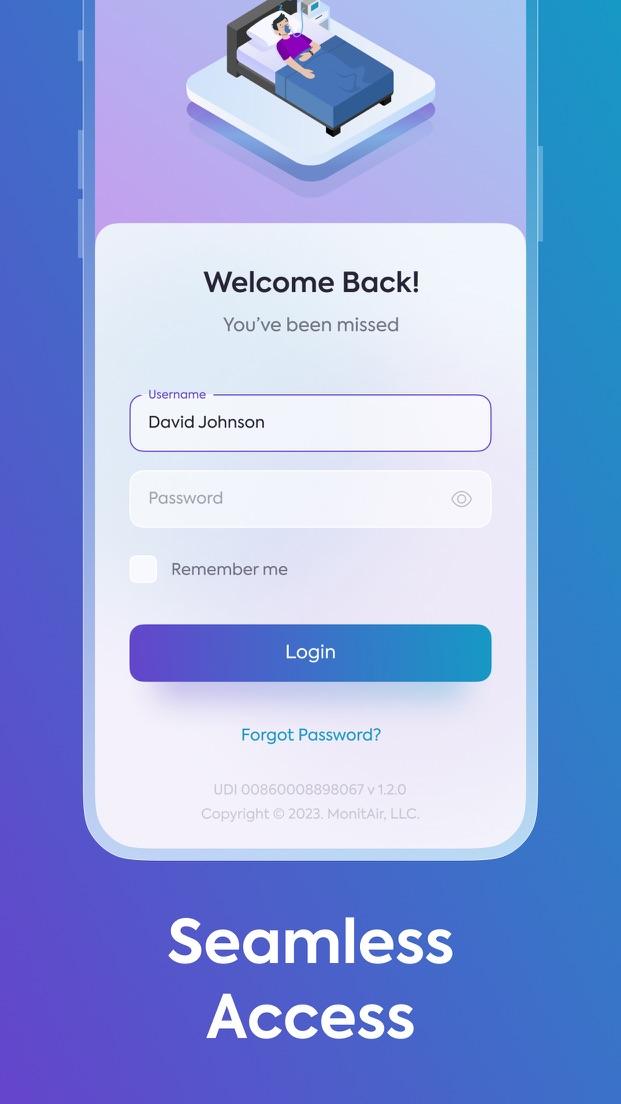
Log in
Open MonitAir Health and enter the username and password from your care team. You cannot create an account in the app.
Turn on Remember me for 14 days if you want to stay signed in. Then tap Login.
Forgot Password and Forgot UserName are under the login button. The preview below is the App Store image of this screen.
02
Dashboard
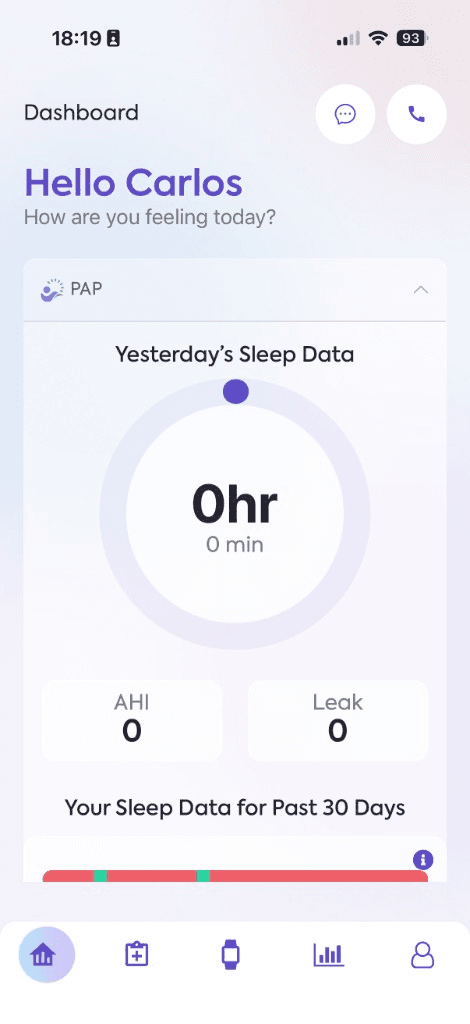
After you log in, the Home tab opens the Dashboard.
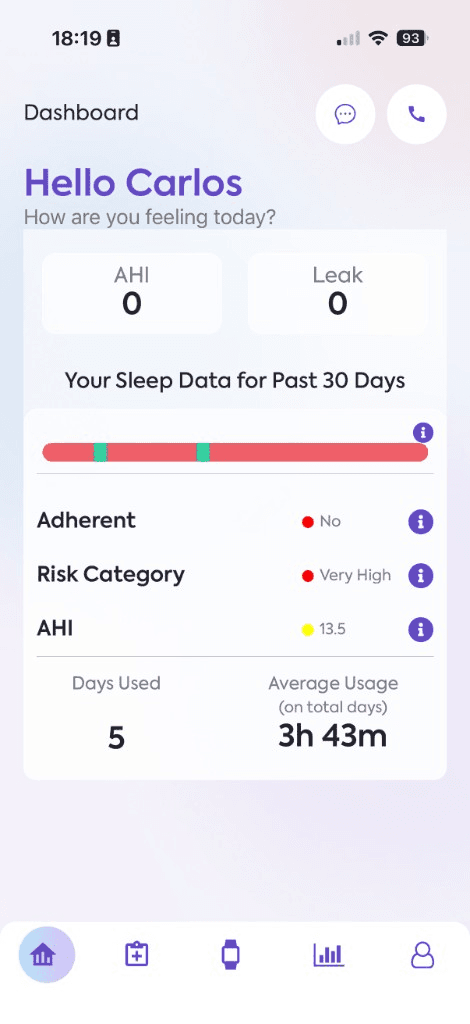
Yesterday's Sleep Data shows how long you used your device, plus AHI and leak.
Scroll down for Your Sleep Data for Past 30 Days. That summary shows whether you were adherent, your risk category, AHI, days used, and average usage.
03
Past 30 days
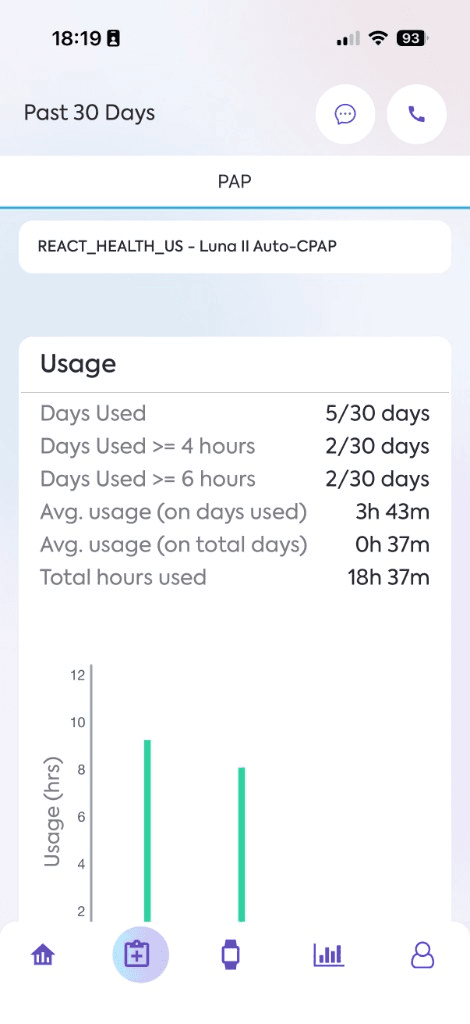
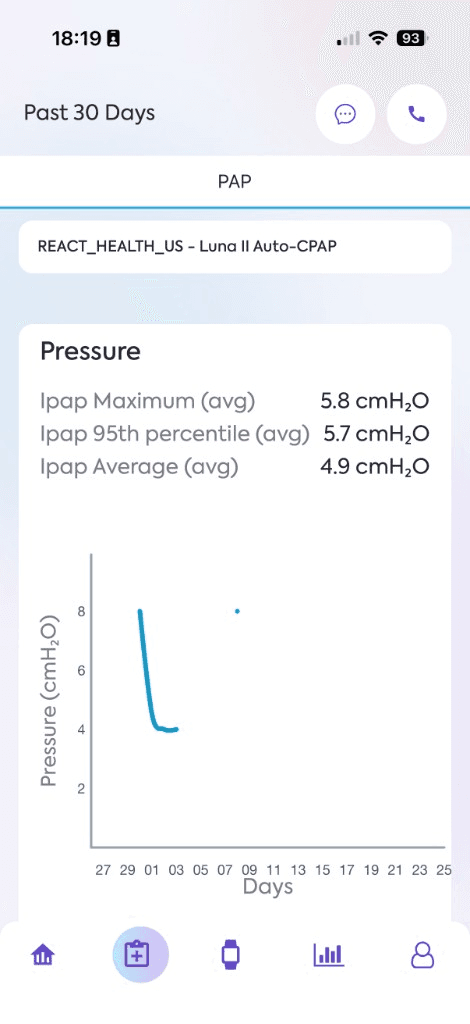
Tap the clipboard icon in the bottom bar. The screen is titled Past 30 Days.
Your therapy, such as PAP, is at the top. If you have more than one therapy, switch it there. The name under the tab is the device currently sending data.
Usage lists days used and hours. Scroll for other measures, such as pressure.
04
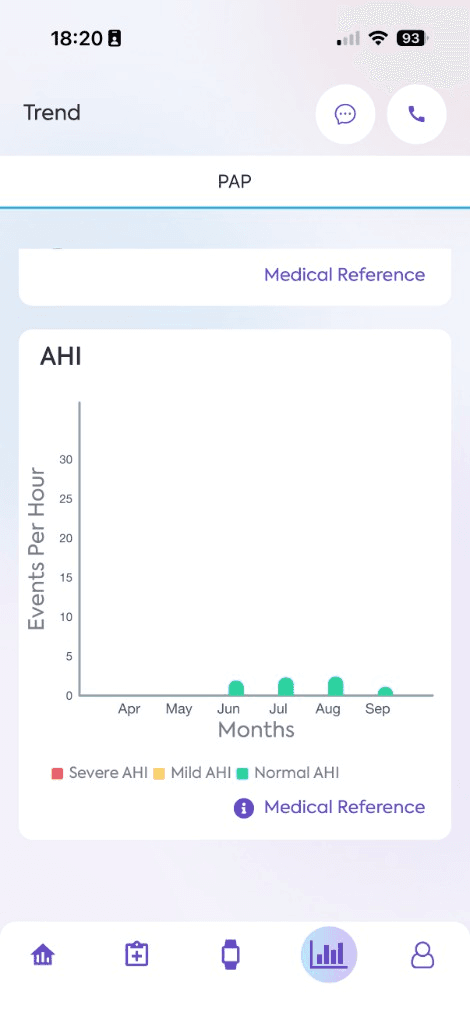
Trend
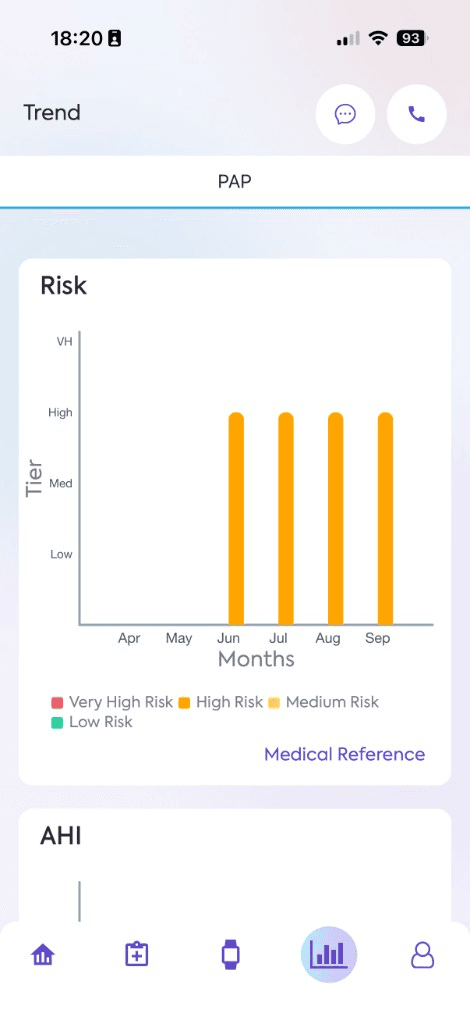
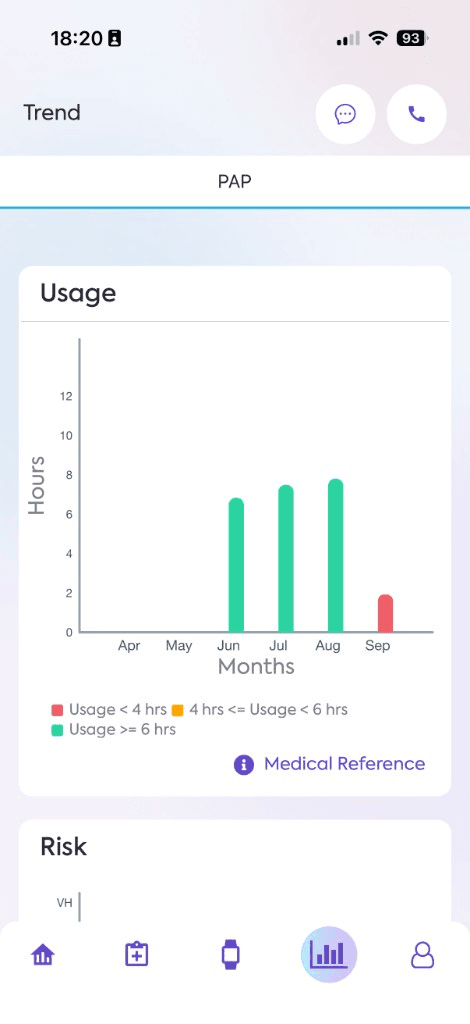
Tap the chart icon in the bottom bar. The screen is titled Trend.
Charts cover recent months. For PAP, you will usually see risk, usage hours, and AHI.
Tap Medical Reference under a chart to see what the colors mean.
05
Connect Apple Health
Open Profile, the person icon, and tap Connect a device. If a device is already linked, that link says Edit Devices.
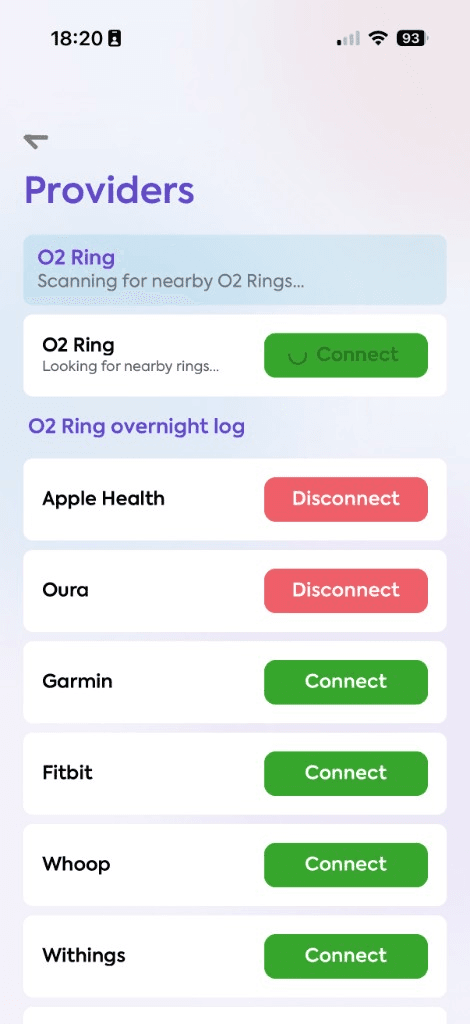
On the Providers screen, find Apple Health and tap Connect. Allow the Health permissions iPhone asks for. Apple Health can keep syncing after you leave the app.
The screenshot shows Disconnect because Apple Health is already connected. Before you connect, the button says Connect. On Android, the same screen uses Health Connect.